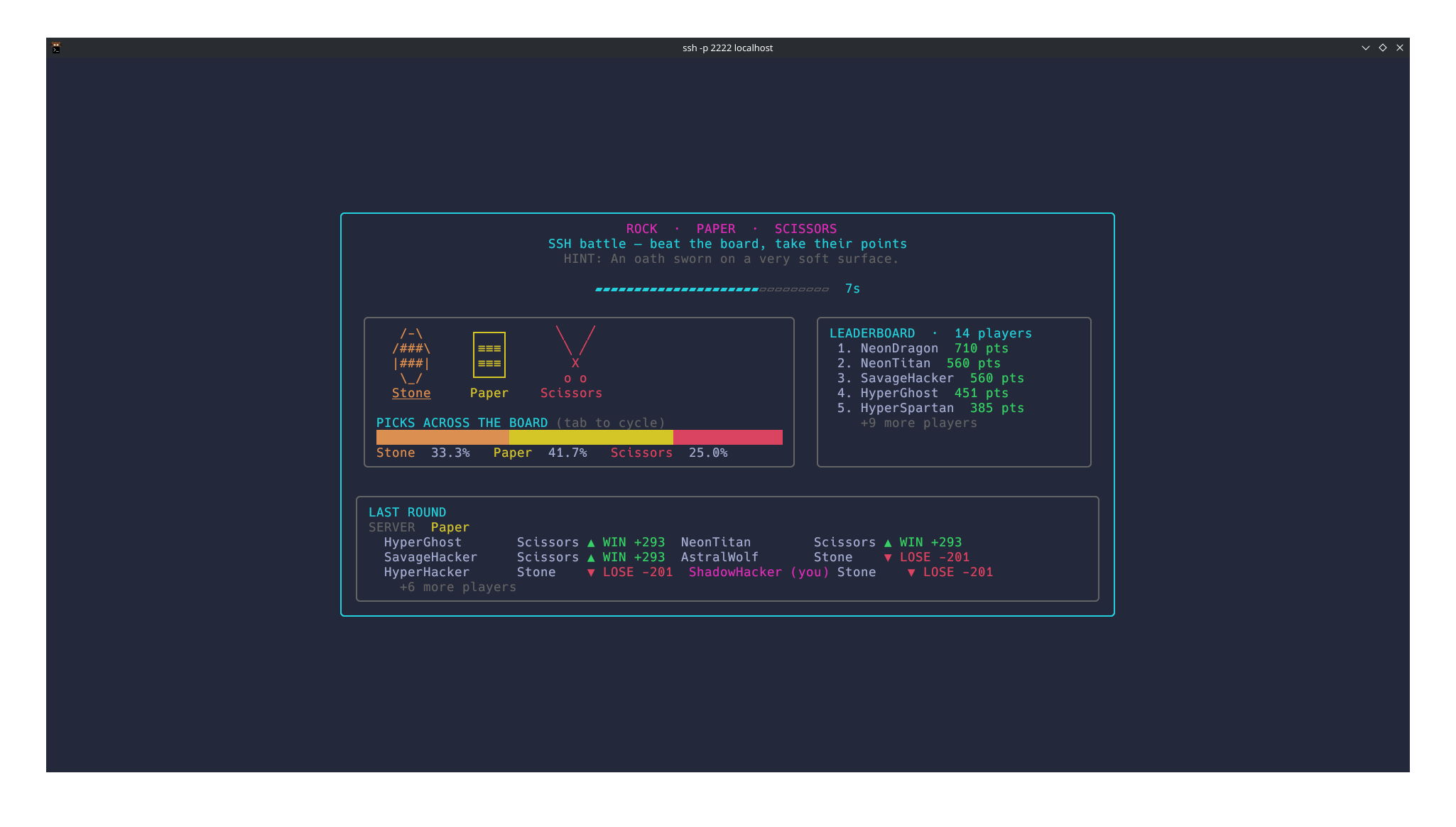
Yet Another Rock Paper Scissors Game!
I have always been fascinated with TUI applications, so today I spent my time working on this little Rock Paper SSH game. You can play it by using this SSH command:
ssh rps.bittu.dev -p 2222The gameplay
The gameplay is very minimal. You join the game, and the game picks Rock/Paper/Scissors and gives you a very obscure hint. You get 10 seconds to make your choice. If you beat the server, you win; otherwise, you lose 50% of your points, which get distributed to other winning players.
Controls: Press TAB or any other key to switch between Rock/Paper/Scissors.
Due to network limitations, only people on an IPv6 network can connect to the server for now. Currently, I don’t have the funds for an IPv4 server.
The Backend
This project uses these three libs as its main components.
This works by hosting an SSH server first (using Wish). Then, after a user connects, a unique sessionID is assigned to the user, and a new BubbleTea TUI object is passed over to them, where the rest of the gameplay loop happens.
Here’s the user flow:
flowchart TD
    A["User runs<br/>ssh rps.bittu.dev -p 2222"] --> B["SSH handshake<br/>(any password / key accepted)"]
    B --> D["BubbleTea initiates and SessionID assigned"]
    D --> E["Random username generated,<br/>subscribed to server events,<br/>and added to the score ledger"]
    E --> F["Round in progress<br/>show hint + countdown"]
    F -- "timer expires" --> G["Score round:<br/>losers lose 50% of their points,<br/>winners split that pool + 25 base points"]
    F -- "user presses a key / tab" --> H["Cycle choice: Rock → Paper → Scissors"]
    H --> F
    G --> I["Broadcast roundEndMsg<br/>to all subscribed sessions"]
    I --> F
    G -- "disconnect (Ctrl+C)" --> J["Cleanup: unregister session,<br/>drop subscription, pending pick and ledger entry"]
The game natively handles window sizing, component placement, and proper colour support for different terminals using LipGloss (mentioned above).
Also, another goroutine maintains the game loop and decides when the round starts and ends. Players who have desynced are gracefully synced with the server clock.
This is the summary of how this little game works. You can check out the source code in this GitHub repository.